<?xml version="1.0" encoding="utf-8"?><feed xmlns="http://www.w3.org/2005/Atom" ><generator uri="https://jekyllrb.com/" version="3.10.0">Jekyll</generator><link href="https://palladius.github.io/feed.xml" rel="self" type="application/atom+xml" /><link href="https://palladius.github.io/" rel="alternate" type="text/html" /><updated>2024-11-24T07:58:26+00:00</updated><id>https://palladius.github.io/feed.xml</id><title type="html">SREccardo Blog v2 (2024)</title><subtitle>This is my first Blog in 2022. Since my Joomla website is a bit old and hard to maintain/migrate. Modified in 2024 with many issues.</subtitle><entry><title type="html">Welcome to Jekyll! 2024</title><link href="https://palladius.github.io/jekyll/update/2022/01/08/welcome-to-jekyll.html" rel="alternate" type="text/html" title="Welcome to Jekyll! 2024" /><published>2022-01-08T11:20:05+00:00</published><updated>2022-01-08T11:20:05+00:00</updated><id>https://palladius.github.io/jekyll/update/2022/01/08/welcome-to-jekyll</id><content type="html" xml:base="https://palladius.github.io/jekyll/update/2022/01/08/welcome-to-jekyll.html"><![CDATA[<p>[2024 addon].</p>

<p>You’ll find this post in your <code class="language-plaintext highlighter-rouge">_posts</code> directory. Go ahead and edit it and re-build the site to see your changes. You can rebuild the site in many different ways, but the most common way is to run <code class="language-plaintext highlighter-rouge">jekyll serve</code>, which launches a web server and auto-regenerates your site when a file is updated.</p>

<p>Jekyll requires blog post files to be named according to the following format:</p>

<p><code class="language-plaintext highlighter-rouge">YEAR-MONTH-DAY-title.MARKUP</code></p>

<p>Where <code class="language-plaintext highlighter-rouge">YEAR</code> is a four-digit number, <code class="language-plaintext highlighter-rouge">MONTH</code> and <code class="language-plaintext highlighter-rouge">DAY</code> are both two-digit numbers, and <code class="language-plaintext highlighter-rouge">MARKUP</code> is the file extension representing the format used in the file. After that, include the necessary front matter. Take a look at the source for this post to get an idea about how it works.</p>

<p>Jekyll also offers powerful support for code snippets:</p>

<figure class="highlight"><pre><code class="language-ruby" data-lang="ruby"><span class="c1"># This is ruby
</span>

<span class="k">def</span> <span class="nf">print_hi</span><span class="p">(</span><span class="nb">name</span><span class="p">)</span>
  <span class="nb">puts</span> <span class="s2">"Hi, </span><span class="si">#{</span><span class="nb">name</span><span class="si">}</span><span class="s2">"</span>
<span class="k">end</span>

<span class="n">print_hi</span><span class="p">(</span><span class="s1">'Tom'</span><span class="p">)</span>
<span class="c1">#=&gt; prints 'Hi, Tom' to STDOUT.</span></code></pre></figure>

<p>Check out the <a href="https://jekyllrb.com/docs/home">Jekyll docs</a> for more info on how to get the most out of Jekyll. File all bugs/feature requests at <a href="https://github.com/jekyll/jekyll">Jekyll’s GitHub repo</a>. If you have questions, you can ask them on <a href="https://talk.jekyllrb.com/">Jekyll Talk</a>.</p>]]></content><author><name></name></author><category term="jekyll" /><category term="update" /><summary type="html"><![CDATA[[2024 addon]. You’ll find this post in your _posts directory. Go ahead and edit it and re-build the site to see your changes. You can rebuild the site in many different ways, but the most common way is to run jekyll serve, which launches a web server and auto-regenerates your site when a file is updated. Jekyll requires blog post files to be named according to the following format: YEAR-MONTH-DAY-title.MARKUP Where YEAR is a four-digit number, MONTH and DAY are both two-digit numbers, and MARKUP is the file extension representing the format used in the file. After that, include the necessary front matter. Take a look at the source for this post to get an idea about how it works. Jekyll also offers powerful support for code snippets: # This is ruby def print_hi(name) puts "Hi, #{name}" end print_hi('Tom') #=&gt; prints 'Hi, Tom' to STDOUT. Check out the Jekyll docs for more info on how to get the most out of Jekyll. File all bugs/feature requests at Jekyll’s GitHub repo. If you have questions, you can ask them on Jekyll Talk.]]></summary></entry><entry><title type="html">Welcome to SREccardo! 2024</title><link href="https://palladius.github.io/2022/01/08/welcome-to-sreccardo.html" rel="alternate" type="text/html" title="Welcome to SREccardo! 2024" /><published>2022-01-08T00:00:00+00:00</published><updated>2022-01-08T00:00:00+00:00</updated><id>https://palladius.github.io/2022/01/08/welcome-to-sreccardo</id><content type="html" xml:base="https://palladius.github.io/2022/01/08/welcome-to-sreccardo.html"><![CDATA[<p>2024: addon.</p>

<h1 id="welcome">Welcome</h1>

<p><strong>Ciao a tutti</strong>, this is my first Jekyll blog post.</p>

<p>I hope you like it!</p>

<p>/jekyll/update/2022/01/08/welcome-to-jekyll.html</p>

<p>prova post: https://jekyllrb.com/docs/liquid/tags/#linking-to-posts</p>

<p>– @sreccardo</p>

<h2 id="immagini-di-alessandro">Immagini di Alessandro:</h2>

<p>Immagini di Alessandro:</p>

<p><img src="/assets/immagini/riccardume/ricc-aj-ironman.jpeg" height="200" alt="/assets/immagini/riccardume/ricc-aj-ironman.jpeg" /></p>

<p><img src="/assets/immagini/riccardume/ricc-aj-lavagna.jpeg" height="200" alt="/assets/immagini/riccardume/ricc-aj-lavagna.jpeg" /></p>

<h2 id="prova-immagini">prova immagini</h2>

<p><img src="/assets/immagini/riccardume/hqdefault.jpeg" height="80" alt="/assets/immagini/riccardume/hqdefault.jpeg" />
  <!--
  /assets/immagini/riccardume/hqdefault.jpeg
  #  ! [ metto altezza ] ( { { myimage.path } } )
  --></p>

<p><img src="/assets/immagini/riccardume/hqdefault2.jpeg" height="80" alt="/assets/immagini/riccardume/hqdefault2.jpeg" />
  <!--
  /assets/immagini/riccardume/hqdefault2.jpeg
  #  ! [ metto altezza ] ( { { myimage.path } } )
  --></p>

<p><img src="/assets/immagini/riccardume/ricc-aj-ironman.jpeg" height="80" alt="/assets/immagini/riccardume/ricc-aj-ironman.jpeg" />
  <!--
  /assets/immagini/riccardume/ricc-aj-ironman.jpeg
  #  ! [ metto altezza ] ( { { myimage.path } } )
  --></p>

<p><img src="/assets/immagini/riccardume/ricc-aj-lavagna.jpeg" height="80" alt="/assets/immagini/riccardume/ricc-aj-lavagna.jpeg" />
  <!--
  /assets/immagini/riccardume/ricc-aj-lavagna.jpeg
  #  ! [ metto altezza ] ( { { myimage.path } } )
  --></p>

<p><img src="/assets/immagini/riccardume/ricc-lavagna.jpeg" height="80" alt="/assets/immagini/riccardume/ricc-lavagna.jpeg" />
  <!--
  /assets/immagini/riccardume/ricc-lavagna.jpeg
  #  ! [ metto altezza ] ( { { myimage.path } } )
  --></p>

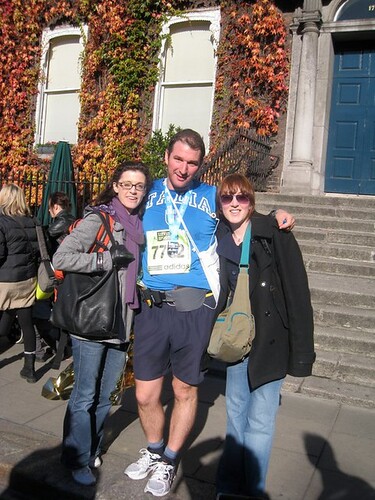
<p><img src="/assets/immagini/riccardume/ricc-maratona-dublino.jpeg" height="80" alt="/assets/immagini/riccardume/ricc-maratona-dublino.jpeg" />
  <!--
  /assets/immagini/riccardume/ricc-maratona-dublino.jpeg
  #  ! [ metto altezza ] ( { { myimage.path } } )
  --></p>

<p><img src="/assets/immagini/riccardume/ricc-piano-youtube.jpeg" height="80" alt="/assets/immagini/riccardume/ricc-piano-youtube.jpeg" />
  <!--
  /assets/immagini/riccardume/ricc-piano-youtube.jpeg
  #  ! [ metto altezza ] ( { { myimage.path } } )
  --></p>

<p><img src="/assets/immagini/riccardume/ricc-triathlon.jpeg.crdownload" height="80" alt="/assets/immagini/riccardume/ricc-triathlon.jpeg.crdownload" />
  <!--
  /assets/immagini/riccardume/ricc-triathlon.jpeg.crdownload
  #  ! [ metto altezza ] ( { { myimage.path } } )
  --></p>

<p><img src="/assets/immagini/riccardume/ricc-video-giallo.jpeg" height="80" alt="/assets/immagini/riccardume/ricc-video-giallo.jpeg" />
  <!--
  /assets/immagini/riccardume/ricc-video-giallo.jpeg
  #  ! [ metto altezza ] ( { { myimage.path } } )
  --></p>

<p><img src="/assets/immagini/riccardume/riccardo-carlesso-ironman.jpg" height="80" alt="/assets/immagini/riccardume/riccardo-carlesso-ironman.jpg" />
  <!--
  /assets/immagini/riccardume/riccardo-carlesso-ironman.jpg
  #  ! [ metto altezza ] ( { { myimage.path } } )
  --></p>

<p><img src="/assets/immagini/riccardume/riccardo-piano-dundrum.jpeg" height="80" alt="/assets/immagini/riccardume/riccardo-piano-dundrum.jpeg" />
  <!--
  /assets/immagini/riccardume/riccardo-piano-dundrum.jpeg
  #  ! [ metto altezza ] ( { { myimage.path } } )
  --></p>

<p><img src="/assets/immagini/riccardume/riccardo-strava.png" height="80" alt="/assets/immagini/riccardume/riccardo-strava.png" />
  <!--
  /assets/immagini/riccardume/riccardo-strava.png
  #  ! [ metto altezza ] ( { { myimage.path } } )
  --></p>

<p><img src="/assets/immagini/riccardume/riccardo-verde.jpeg" height="80" alt="/assets/immagini/riccardume/riccardo-verde.jpeg" />
  <!--
  /assets/immagini/riccardume/riccardo-verde.jpeg
  #  ! [ metto altezza ] ( { { myimage.path } } )
  --></p>

<p><img src="/assets/immagini/riccardume/riccardo.jpg" height="80" alt="/assets/immagini/riccardume/riccardo.jpg" />
  <!--
  /assets/immagini/riccardume/riccardo.jpg
  #  ! [ metto altezza ] ( { { myimage.path } } )
  --></p>

<p><img src="/assets/immagini/riccardume/unnamed.jpeg" height="80" alt="/assets/immagini/riccardume/unnamed.jpeg" />
  <!--
  /assets/immagini/riccardume/unnamed.jpeg
  #  ! [ metto altezza ] ( { { myimage.path } } )
  --></p>

<h2 id="fine-immagini">fine immagini</h2>

<p><img src="/assets/immagini/riccardume/riccardo.jpg" alt="image tooltip here" /></p>

<h2 id="why-i-love-septober">Why I love septober</h2>

<div class="language-plaintext highlighter-rouge"><div class="highlight"><pre class="highlight"><code>gem install ric
</code></pre></div></div>

<p>This will give you access to a Septober CLI which ibnterrogates a generic septober app I’ve written years ago.
You can find one here: <code class="language-plaintext highlighter-rouge">TODO(ricc)</code></p>

<figure class="highlight"><pre><code class="language-ruby" data-lang="ruby"><span class="k">def</span> <span class="nf">print_hi</span><span class="p">(</span><span class="nb">name</span><span class="p">)</span>
  <span class="nb">puts</span> <span class="s2">"Hi, </span><span class="si">#{</span><span class="nb">name</span><span class="si">}</span><span class="s2">"</span>
<span class="k">end</span>
<span class="n">print_hi</span><span class="p">(</span><span class="s1">'Tom'</span><span class="p">)</span>
<span class="c1">#=&gt; prints 'Hi, Tom' to STDOUT.</span></code></pre></figure>]]></content><author><name></name></author><summary type="html"><![CDATA[]]></summary></entry></feed>